
Size finder
Find my size appears in the chart when it has at least one measurement column (a column with measurement ticked).
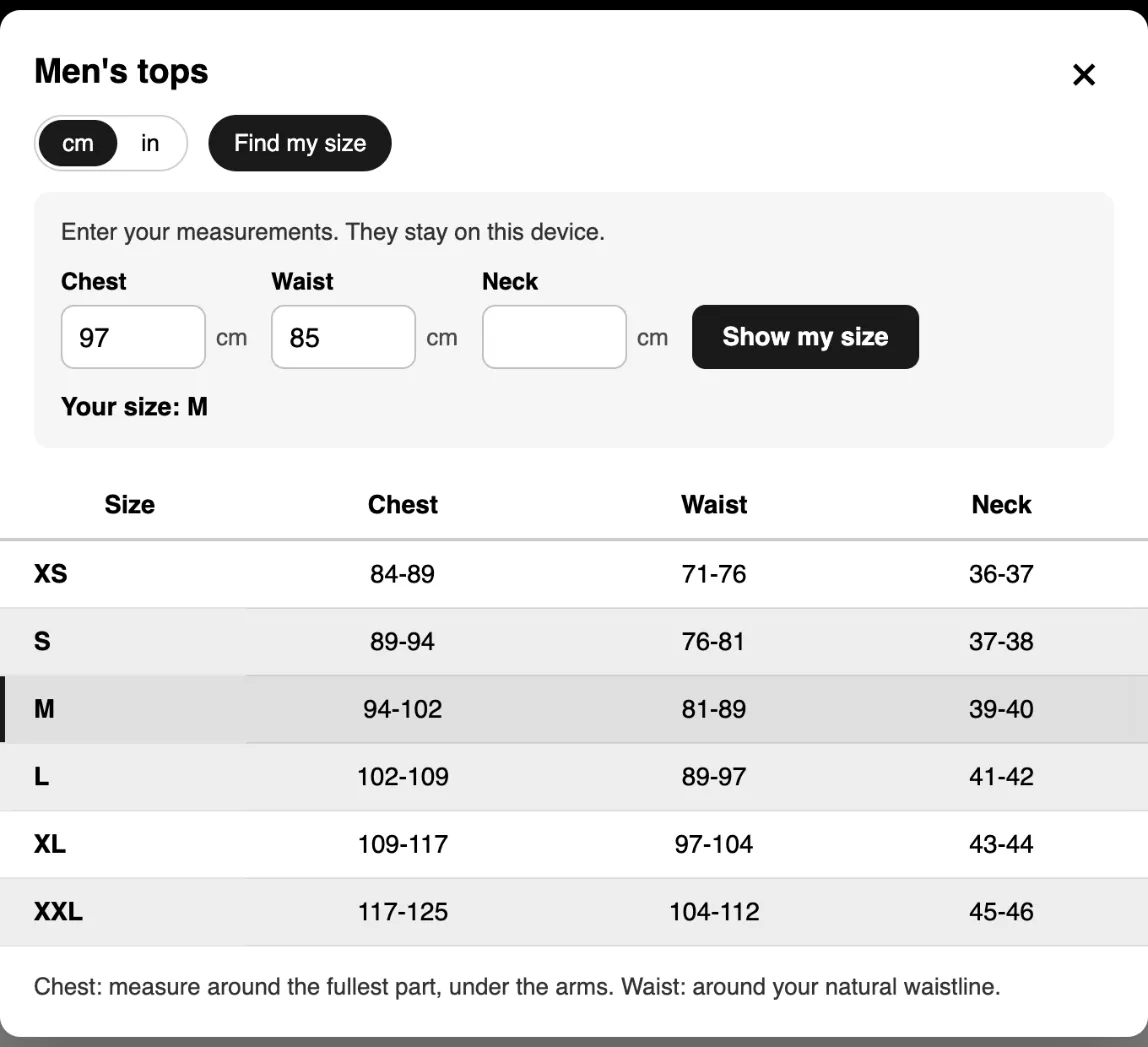
- The shopper clicks Find my size and enters one or more measurements, in cm or inches.
- SizeGrid picks the row whose ranges fit best and highlights it: Your size: M.
- Between two sizes, it says so and suggests the larger one. Outside the chart, it says the shopper is below the smallest or above the largest size.
Measurements are remembered in the shopper’s browser and filled in on the next product. They are never sent to you or to us.
Write ranges SizeGrid can read
Section titled “Write ranges SizeGrid can read”- Ranges:
86-91(a dash between two numbers). - Single values:
90or34.5. A comma works as a decimal point too:34,5. - Keep one unit per chart and set it under Measurements are in.
To hide the finder, open the theme editor, select the Size chart block and untick Show “Find my size”.