
Import and backup
Paste or upload
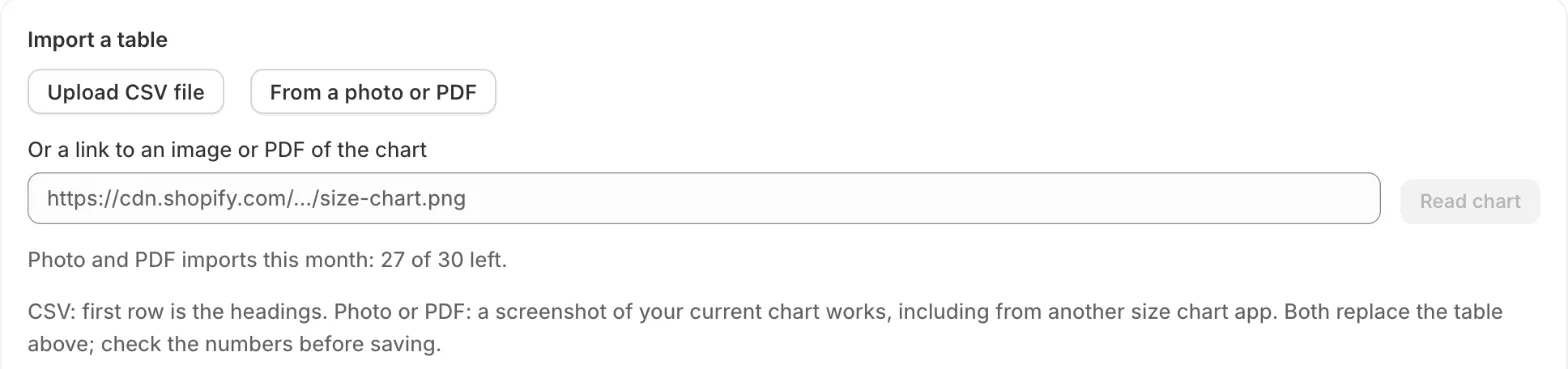
Section titled “Paste or upload”In a chart, under Import a table:
- Paste from a spreadsheet: copy the table with its headings in Excel, Google Sheets or Numbers, paste it and click Replace table.
- Upload CSV file: the first row is the headings. Commas, semicolons and tabs all work.
From another size chart app
Section titled “From another size chart app”Open a product page that shows your old chart, select the table with the mouse, copy it and paste it into SizeGrid. If the old app shows the chart as a picture, take a screenshot and use From a photo or PDF.
From a photo or PDF
Section titled “From a photo or PDF”Click From a photo or PDF and choose a PNG, JPG, WebP or PDF (up to 8 MB), or paste a link to one. SizeGrid reads the table with AI in about ten seconds. Always check the numbers before saving.
Free: 3 imports in total. Pro: 30 imports a month. Pasting and CSV are unlimited.
Backup
Section titled “Backup”On the app’s home page, Download backup saves every chart and rule as a file. Restore from file brings them back, in the same store or another one. Charts with the same name are replaced; rules from the file replace your current rules.