
Price grids
If you already have a price table, use Price grid. Widths go across the top row, heights down the first column.
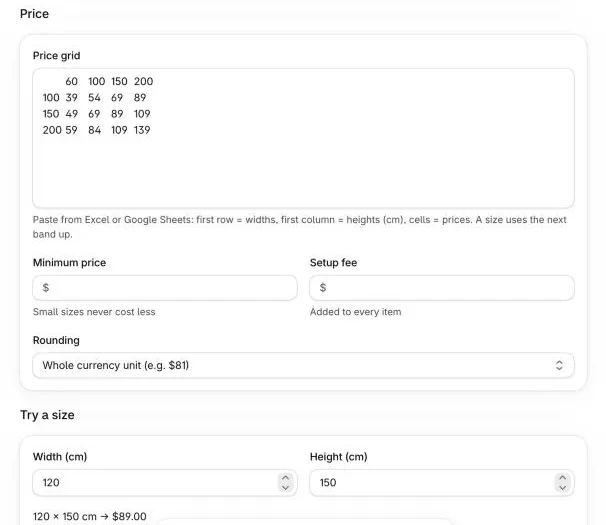
Paste from a spreadsheet
Section titled “Paste from a spreadsheet”- In Excel or Google Sheets, select the table including the top row and the first column.
- Copy it.
- In SizeCalc, choose Price grid and paste into the grid field. Check the preview, then Save.
Example:
60 100 150 200100 39 54 69 89150 49 69 89 109200 59 84 109 139How a size is matched
Section titled “How a size is matched”Each size uses the next larger column and row. With the grid above, 120 × 160 uses width 150 and height 200, so the price is 109.
Sizes larger than the last column or row can’t be added to the cart. Add a bigger band if you make larger items.
The minimum price, setup fee and rounding settings apply to grid prices too.