
Quick order form
The quick order form is part of the Pro plan (free on development stores).
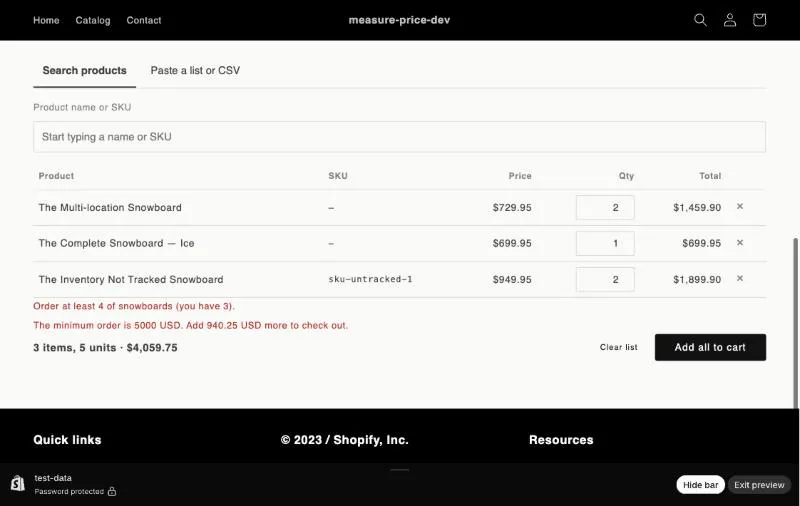
Add it to a page
Section titled “Add it to a page”- Create a page, for example Wholesale order (Online Store → Pages).
- In BulkRules, click Add the quick order form to a page. The theme editor opens.
- Choose your page template, add the Quick order form block and click Save.
How buyers use it
Section titled “How buyers use it”- Search products: type a name or SKU, pick a variant and set the quantity.
- Paste a list or CSV: paste lines like
SKU-123 12orSKU-123, 12straight from a spreadsheet, or upload a CSV file with SKU and quantity columns. A header row is skipped, and repeated SKUs are added together.
The form shows the same rule messages as the cart and suggests quantities that fit pack sizes. Add all to cart adds every row in one step.
Unsent lists are kept in the buyer’s browser, so they aren’t lost if the page is closed.