
Get started with SizeCalc
SizeCalc lets customers enter their own width and height and see the price for that size. Shopify recalculates the price in the cart and checks it again at checkout.
1. Install and open the app
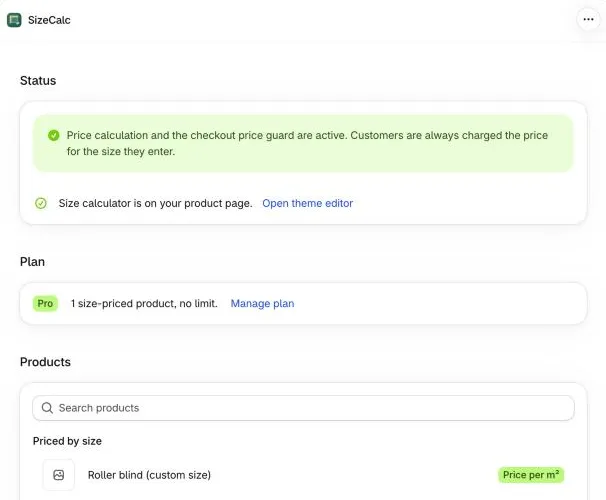
Section titled “1. Install and open the app”Install SizeCalc from the Shopify App Store, then open it from Apps → SizeCalc in your Shopify admin. The home page shows whether size pricing and the checkout guard are active.
2. Add the size calculator to your theme
Section titled “2. Add the size calculator to your theme”Click Add to theme. The theme editor opens on your product template with the Size price calculator block added. Move it under the price if you like, then click Save.
You only do this once. The block shows only on products you price by size.
3. Price a product by size
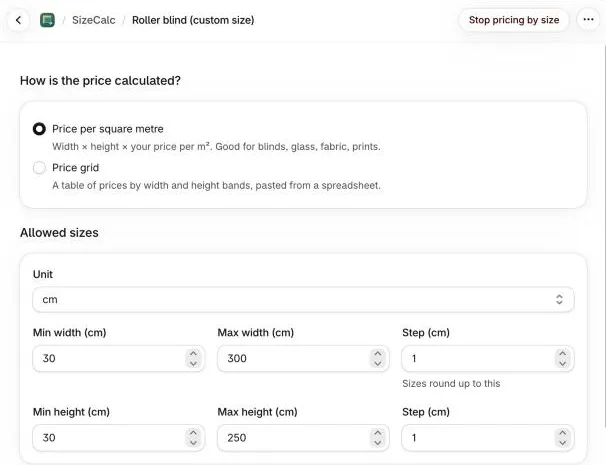
Section titled “3. Price a product by size”In the app, open a product and choose how to charge:
- Price per m²: for example $45/m² with a $25 minimum. See Rate per m².
- Price grid: paste a width × height table from your spreadsheet. See Price grids.
Use Try a size to check the price before you save.
4. Check it on your store
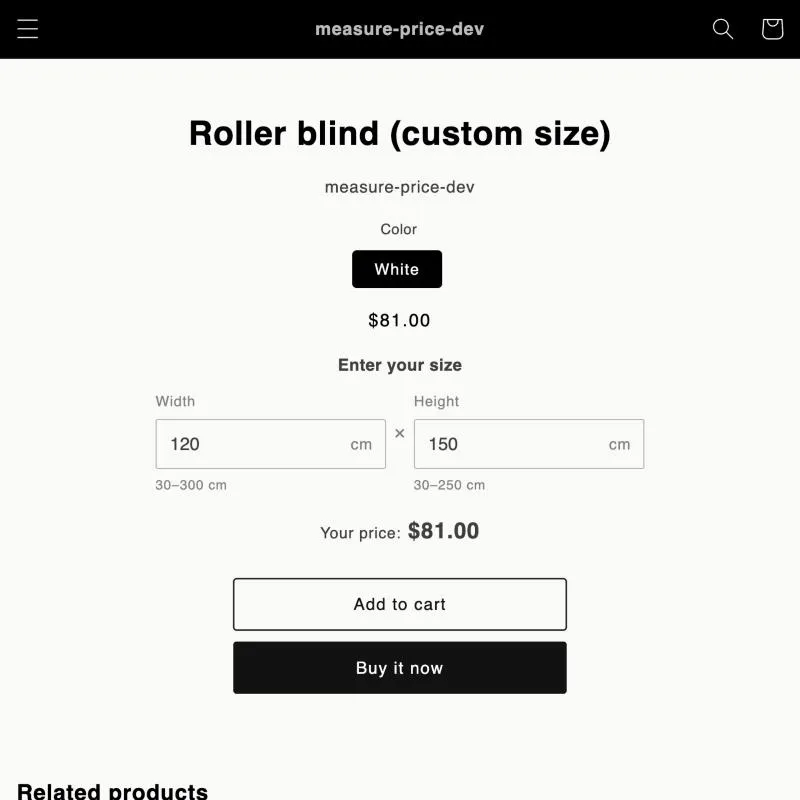
Section titled “4. Check it on your store”Open the product on your storefront, enter a size and add it to the cart. The cart and checkout show the calculated price, with Width and Height on the line item.
Next: learn how the checkout guard protects your prices.